
Description
Product Overview
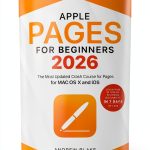
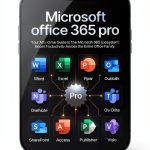
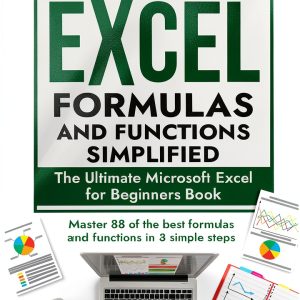
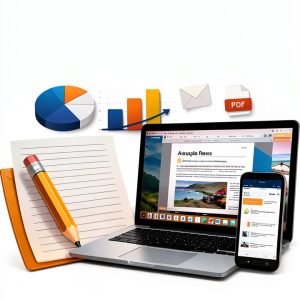
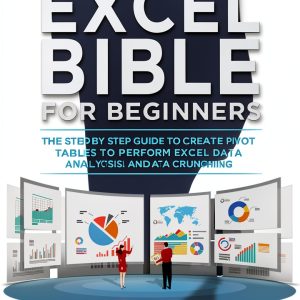
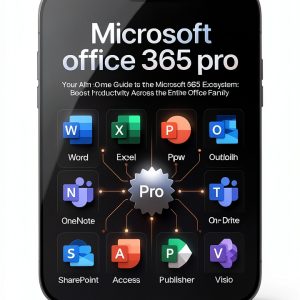
The Microsoft Office Guide offered by TechLearn is a meticulously crafted print‑replica eBook that mirrors the experience of a traditional textbook while leveraging the convenience of digital delivery. Spanning 100 pages, the guide covers the core applications of the Microsoft Office suite—Word, Excel, PowerPoint, and Outlook—providing users with a comprehensive roadmap from basic functions to intermediate techniques. Each chapter is organized logically, beginning with foundational concepts and progressing to more complex tasks, ensuring that learners can build confidence step by step. The file size of 3.5 MB makes the eBook lightweight, allowing for rapid download and instant access on any Kindle device or compatible e‑reader. The print‑replica format preserves the original layout, headings, and visual cues, which helps readers transition smoothly from screen to study without losing context.
![[Product front view showing all components]](https://www.tunefinds.store/wp-content/uploads/2026/06/6b801913889e4be3ba93acd6c91b6c30.jpg)
Usage
This guide is designed for a wide range of environments. In academic settings, students can use it as a supplemental resource for computer‑literacy courses, enabling them to review material offline during library study sessions or at home without internet connectivity. Educators can assign specific sections as reading material, reinforcing classroom instruction with a portable reference that students can annotate directly on their devices. In professional contexts, office workers and freelancers benefit from quick, on‑the‑go access to essential functions, such as creating pivot tables in Excel or designing compelling presentations in PowerPoint. The eBook’s searchable text feature allows users to locate topics instantly, saving time during tight project deadlines. Whether you are preparing for certification exams, delivering a workshop, or simply enhancing daily productivity, the guide adapts to diverse learning styles and work scenarios.
Why Choose Us
TechLearn has a reputation for delivering high‑quality educational content that aligns with industry standards. This Microsoft Office Guide stands out because it combines the depth of a printed manual with the flexibility of a digital format. The content is authored by certified Microsoft trainers who have years of experience teaching both beginners and advanced users. Rigorous editorial review ensures accuracy, while the print‑replica layout maintains visual consistency, making it easy for readers accustomed to traditional textbooks to navigate. Additionally, TechLearn provides ongoing updates; future revisions will be delivered automatically to your device, guaranteeing that you always have the latest information without additional cost. Customer support is available 24/7 through email and live chat, offering assistance with download issues, formatting questions, or clarification of any instructional content. This commitment to service underscores TechLearn’s dedication to learner success.
Key Features
- Clear, step‑by‑step instructions that reduce learning time and boost confidence.
- Portable digital format compatible with all Kindle devices and major e‑readers.
- Searchable text and indexed sections for fast navigation to specific topics.
- Accurate print‑replica layout preserving original diagrams, tables, and screenshots.
- Responsive customer support and free future updates to keep content current.
FAQ
What devices can I read this eBook on?
The guide is compatible with any Kindle device, Kindle app for iOS and Android, and other e‑readers that support the MOBI or AZW format. It can also be viewed on desktop computers using the Kindle Cloud Reader.
Does the eBook include interactive elements?
While the print‑replica format does not support interactive quizzes, it includes clickable hyperlinks in the table of contents and within the text, allowing you to jump directly to related sections for efficient study.
Will I receive updates if Microsoft releases new Office features?
Yes. TechLearn provides free updates to the eBook whenever significant changes occur in the Microsoft Office suite. Updated files will be delivered automatically to your device.
Can I print pages from the eBook for offline reference?
The print‑replica version is designed for on‑screen reading, but you may print individual pages for personal use in accordance with the licensing agreement.
Is there a refund policy if the eBook does not meet my expectations?
TechLearn offers a 30‑day satisfaction guarantee. If you encounter any issues or are unsatisfied with the content, you can request a refund through the Kindle Store within the specified period.














































































Reviews
There are no reviews yet.